Target Audience
Beginners, aspiring designers, and professionals seeking foundational graphic design skills using CorelDraw and Adobe Photoshop.
Course Overview
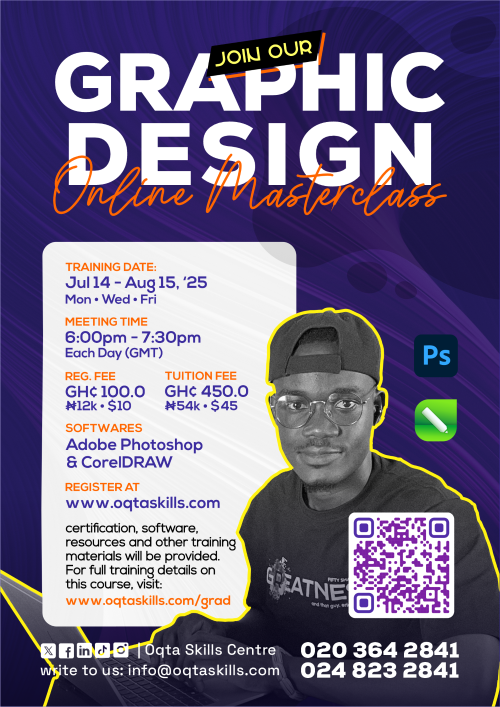
This comprehensive course equips students with essential graphic design principles and hands-on skills in CorelDraw and Photoshop. From mastering design theory to creating logos, marketing materials, and brand assets, harnessing the power of Artificial Intelligence to improve design and design experience, students will gain practical experience through guided projects and portfolio development.
What You Will Learn
- Design Foundations & Tools
-
Introduction to Graphic Design:
Definition, importance, and roles in industry -
Elements & Principles of Design:
Line, shape, colour, texture, space, form, balance, contrast, emphasis, rhythm, unity, hierarchy -
Introduction to CorelDraw & Photoshop Interfaces:
Workspace overview, navigation, file formats, and basic tools -
Practical:
Visual analysis and basic layout creation with shapes and colours
- Typography & Colour Theory
-
Typography:
Categories, font pairing, typographic hierarchy, readability -
Colour Theory:
Colour wheel, schemes, psychology, RGB/CMYK/Hex, colour palettes, accessibility -
CorelDraw & Photoshop Text Tools:
Artistic and paragraph text, formatting, text on paths -
Practical:
Typographic moodboards, poster designs, colour remix challenges
- Branding & Collateral Design
-
Branding Concepts:
Logo design principles, brand identity, tone, guidelines -
Graphic Design Projects:
Flyers, business cards, social media graphics, posters -
CorelDraw Vector Techniques:
Object manipulation, combining shapes, tracing bitmaps -
Photoshop Editing Skills:
Image cropping, resizing, layering, effects -
Practical:
Flyer redesigns and brand collateral mini-sets
- Capstone Project & Portfolio Development
-
Project Brief:
Design a complete brand campaign for a fictional business -
Deliverables:
Logo, colour palette, typography, flyers, social media posts, business cards -
Design Assets:
Use of design templates, websites, AI generation models to enhance design and design experience. -
Advanced CorelDraw & Photoshop Features:
Mesh fills, artistic media, layer management, blending, automation -
Presentation & Critique:
Student showcase and feedback session -
Career Guidance:
Portfolio building, client communication, freelancing tips
Next Session
Oct 27 - Dec 19, 2025
Mon ⋅ Wed ⋅ Fri
Training Time
6:00pm - 7:30pm
Each Day (GMT)
Delivery
Google Meet
Online
Software
Adobe Photoshop
& CorelDRAW
Reg. Fee
GH¢100.00
₦12k ⋅ $10.0
Training Fee
GH¢450.00
₦54k ⋅ $38.0